[ad_1]
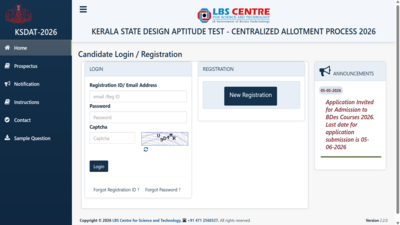
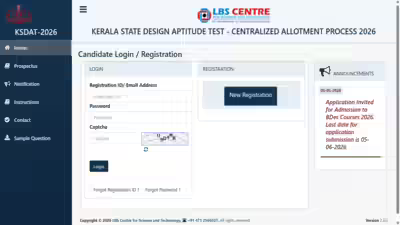
KS DAT 2026: LBS Center for Science and Technology has started the registration process for Kerala State Design Aptitude Test (KS DAT) 2026. Interested candidates can apply online through official website which is lbsapplications.kerala.gov.in/ksdat2026/.Last date for submission of application form is 5th June 2026.
What is KS DAT for 2026?
KS DAT is an entrance exam conducted for admission to Bachelor of Design (B.Des) programs offered by participating institutions in Kerala.
Application fee
Candidates need to pay the application fee online using Debit Card, Credit Card, or Net Banking:
- 1300 Rs For general category
- 650 Rs For Scheduled Caste (SC) and Scheduled Tribe (ST) candidates
Important Notes on Certificates
Validity of certificates will be checked based on last date of application submission:
- Non Creamy Layer Certificate: Valid for 1 year
- Income Certificate: Valid for 1 year
- Community Certificate: Valid for 3 years
Eligibility Criteria
To apply for KS DAT 2026, candidates should:
- Passed 10+2 or equivalent from Higher Secondary Education (HSE) Kerala or recognized by any board
Kerala Technological University (KTU), as per All India Council for Technical Education (AICTE) norms - Score at least 45% marks (General Category)
- Score at least 40% marks (Reserved Category)
List of Required Documents
Candidates must keep the following documents ready while filling the form:
- SSLC book or any proof of date of birth
- Proof of birth
- Educational documents (mark list or hall ticket of qualifying examination)
- Non Creamy Layer Certificate (if applicable)
- Community Certificate (if applicable)
- Intercaste Certificate (if applicable)
- Certificate for Persons with Disabilities (PwD), if applicable.
- Medical fitness certificate
- Income Certificate (if applicable)
- Economically Weaker Section (EWS) Certificate
- Any other documents mentioned in the official notification
Steps to Apply for KS DAT 2026
Follow these simple steps to complete your registration:
- Visit the official website which is lbsapplications.kerala.gov.in/ksdat.
- Click on “New Registration” on the home page.
- Fill in the required details.
- Click “Save and Continue” and pay the application fee.
- Upload the required documents.
- Submit the form.
- Download and print the confirmation page for future use.
Direct link HereCandidates are advised to fill the form carefully and upload all required documents to avoid rejection.
[ad_2]
Source link