CBSE Class 10th Result 2026: The Central Board of Secondary Education (CBSE) Class 10 Board Results 2026 is expected to be released soon on the official website cbse.gov.in. While there is no official confirmation yet, leaving little room for speculation in past trends, students can expect their scorecards to be released by the end of April. As the other board exams are going to start from May, the results are expected to be released soon.A closer look at previous years reveals a clear timeline. In 2024, the results were announced on May 13, and in 2023 on May 12. Previous years, 2019 and 2016, saw announcements in the first or second half of May. Only pandemic years push the schedule into July and August.
CBSE Class 10th Result 2026: Where to Check Scorecards
Once declared, CBSE Class 10 Results 2026 will be available online. Students can access their mark sheets by:
- CBSE Official Website: cbse.gov.in
- Results Portal: results.cbse.nic.in
- DigiLocker platform for digital documents
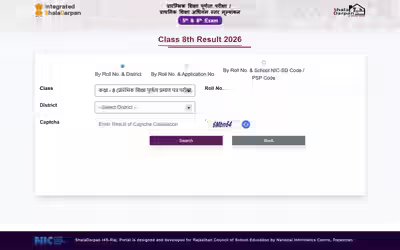
Students will need their roll number, school number, date of birth, and admit card ID to check the result. After submission, the mark sheet can be downloaded and printed for immediate use.
CBSE Class 10th Result 2026: Steps to Download Scorecards from Official Website
Candidates can follow the steps mentioned here to download CBSE Class 10th Result 2026 from the official website:
- Visit CBSE official website: cbse.gov.in or results.cbse.nic.in.
- Click on the link to read.
CBSE Class 10 Result 2026 ‘ on the home page - Enter your Roll Number, School Number, Date of Birth, and Admit Card ID.
- Click Submit.
- Your result will appear on the screen.
- Download the mark sheet and take a printout for future use.
CBSE Class 10th Result 2026: How to Download Scorecard from DigiLocker
Candidates can follow the steps mentioned here to download score cards from DigiLocker:
- Open DigiLocker website (digilocker.gov.in) or mobile app.
- Sign in using your Mobile Number/Aadhaar/Username.
- If you are a new user then complete the registration process using your mobile number.
- Go to the ‘Released Documents’ or ‘Education’ section.
- Select ‘Central Board of Secondary Education (CBSE)’.
- Click on ‘Class 10 Mark Sheet 2026’
- Enter required details like roll number and year of passing
- Click Get Document.
- Your CBSE Class 10 Marksheet will appear on the screen.
- Download or save a digital copy for future use.
Candidates are advised to stay connected with the official website to get complete details of CBSE Class 10th Result 2026.